The reasons an import fails have been the same for years. A dependency that is missing in the target because it lives in another solution that has not been moved yet. An environment variable with no value and no default. A connection reference that is not bound anywhere, so the flow stays off after the import. An unmanaged layer on top of a managed component that silently masks every future deployment. A canvas app that arrives and reaches nobody, because sharing does not travel with it.
Each of these questions can be answered on its own. You just need time and the right queries, and you have neither on the evening before the PROD import.
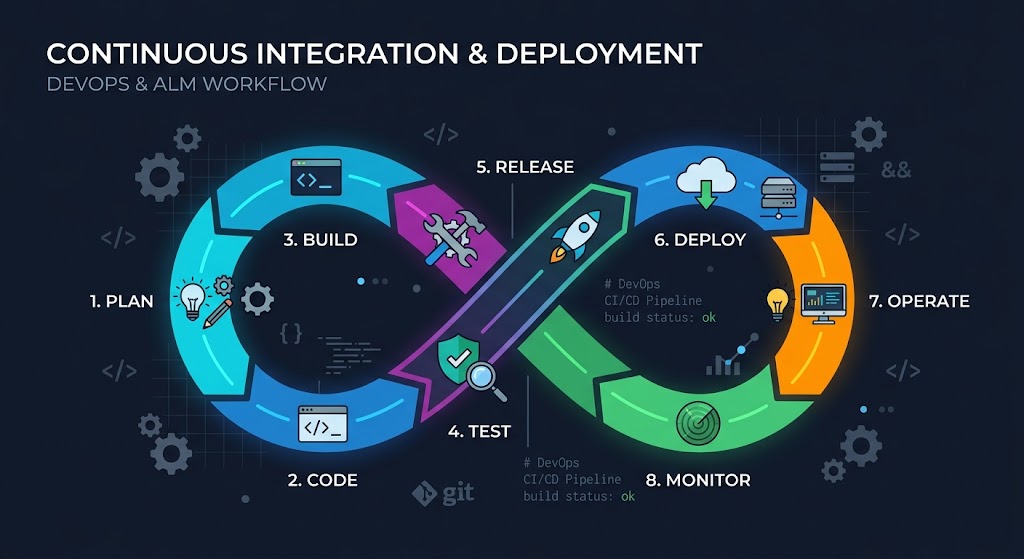
How we used to find out
Honestly: by importing. First to UAT, then see what blows up. The import log is XML, with the actual information buried in an error text that you copy into Excel and filter for “Missing”. For layers there is the Solution Layer Explorer in XrmToolBox, which lets you check component by component. For environment variables, a checklist that someone ticks off before the import, if they remember. Nobody has a list of app sharing, and you find out when the first users get in touch.
The pattern in all of this: the knowledge was there, spread across four tools and two heads, and never in one place before the import.
You can argue about the number. Not about the table.
Dependencies first, then the rest
On June 12 the Dependency Check went into the console, and today it is called Deployment Readiness. It checks a release solution against the target environment with the same action Dataverse itself uses during an import, and lists what is needed there but neither comes along nor already exists. Every finding has “Add to Solution” to pull the missing component in directly. That is the ten-second counterpart to the evening.
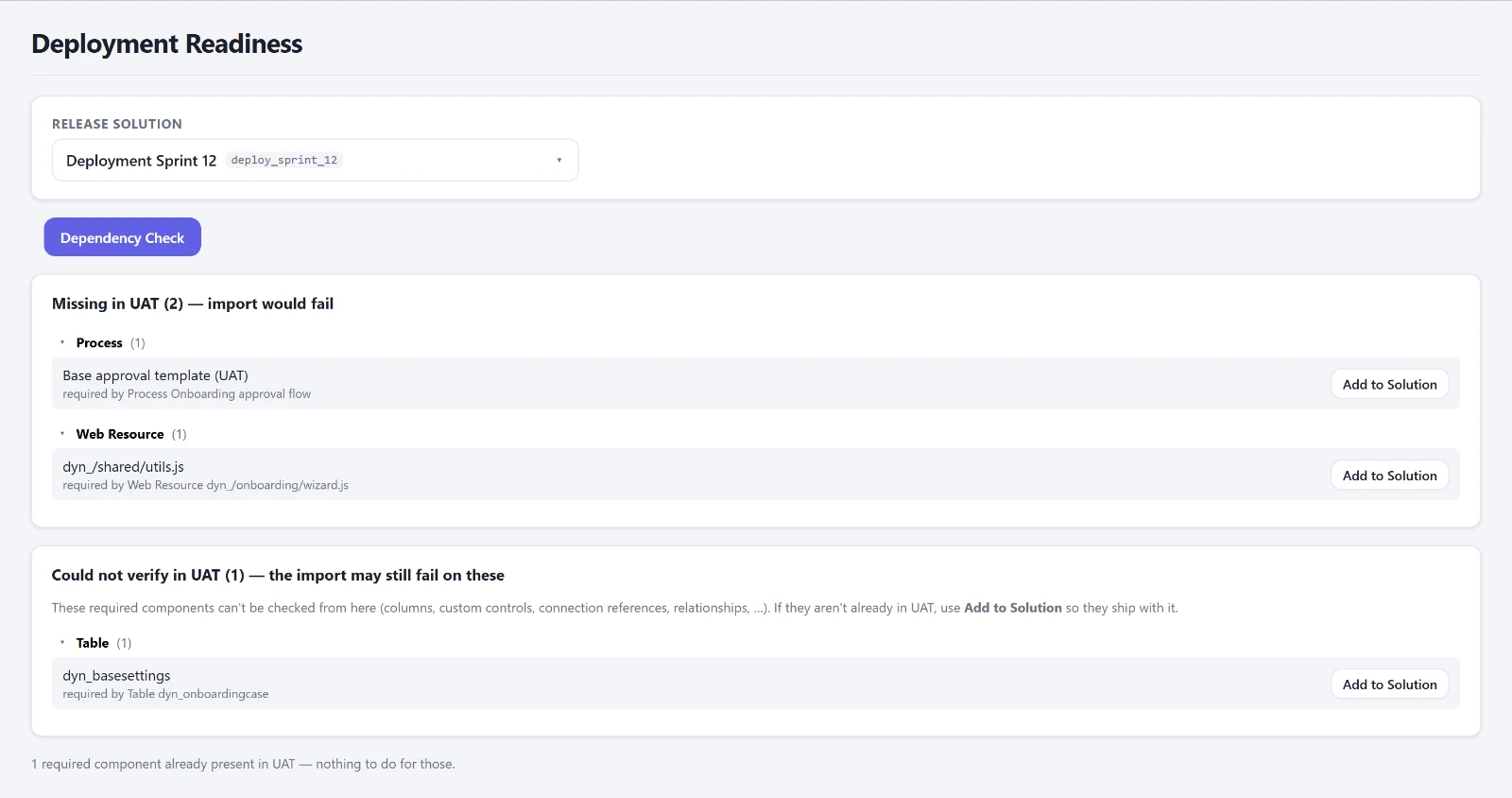
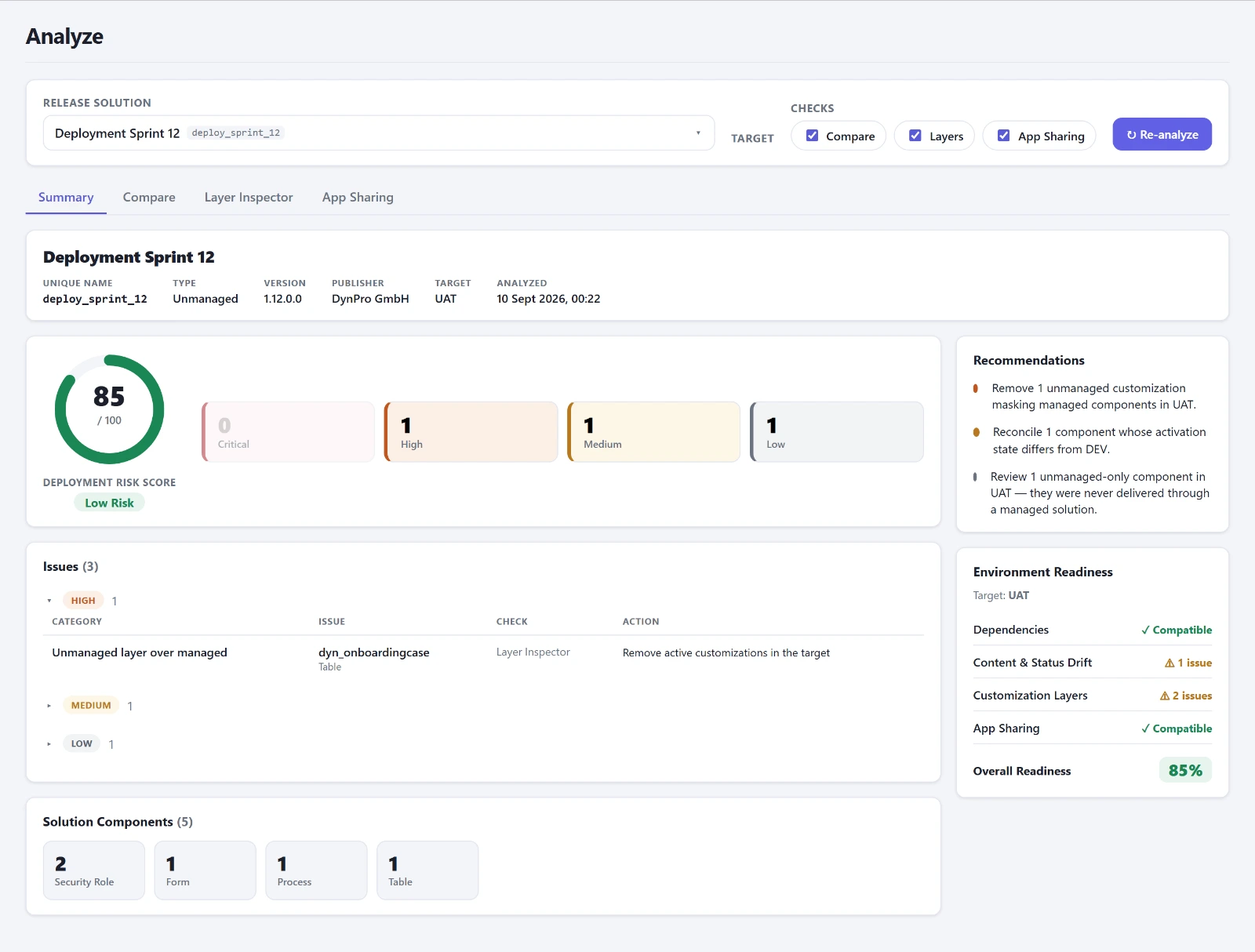
The same week brought the comparison of processes across all environments, the Layer Inspector and App Sharing, first as separate tabs, and since June 20 bundled under Analyze: one click, one run against the target, and the result condensed into a risk score from 0 to 100 with a table of findings underneath. You can argue about the number. Not about the table.
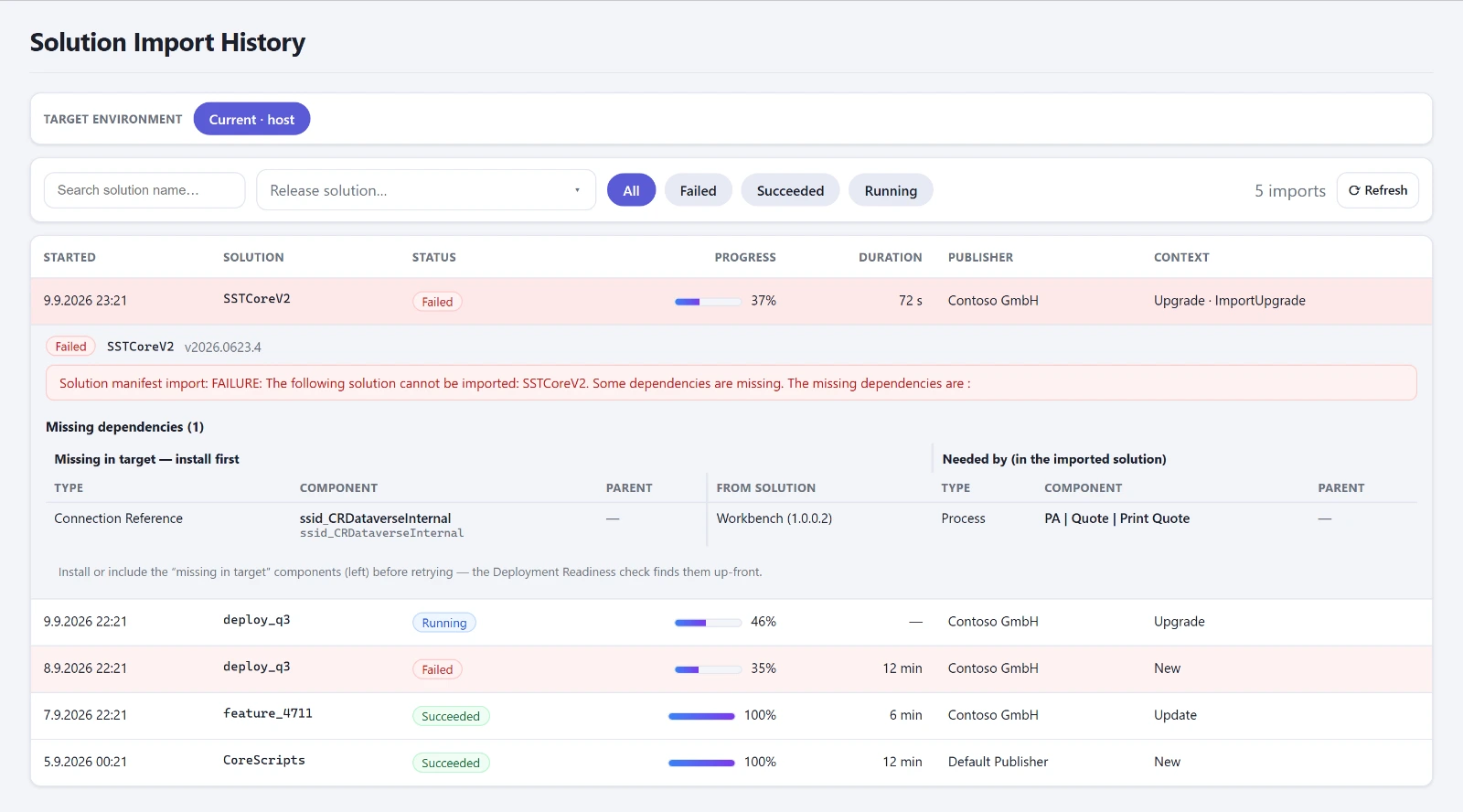
After the import comes Import History, since July 5. It shows the imports of an environment and parses the log when you expand one. The error text becomes a table: on the left the component missing in the target, with its parent object and source solution, on the right the imported component that needs it. That is exactly the table I used to build by hand in Excel, except that now it is there in two seconds.
Env Config came the same day: environment variables and connection references across all environments side by side, matched by name, with the three typical gaps flagged. For each connection reference it shows how many flows use it, split into active and inactive. A reference with zero flows is orphaned and can go.
Three things the connector cannot do
The console reads other environments through the Microsoft Dataverse connector, because a Code App on its own only reaches its own environment. The connector can read tables and call actions. What it cannot do, I learned in these weeks. Two things so far, the third is in the addendum.
First, it cannot call functions, only actions. Dataverse returns the sharing of a canvas app through a function, and the connector answers that with “No HTTP resource was found”. So since June 13 App Sharing reads the sharing as a table, straight from the access rights, and builds the answer itself.
Second, GUIDs are only stable across environments if the component was transported cleanly by solution. An environment variable someone created by hand in UAT has a different ID there than in DEV. It happened. So the console matches everything that is imported by name by its name. And the modified date does not count as a drift signal, because every import overwrites it.
The false green
The most unpleasant lesson came at the end of June. Deployment Readiness showed green, and the import failed anyway: a missing column, a missing PCF control and a connection reference. The check had counted component types it could not verify as present. Since June 25, green only means zero missing and zero unknown components. Unknown is not green. That sounds trivial, and it cost an evening.
Part of this is a detail I did not know before: the component type of a connection reference has no fixed number. In one environment it is 10064, in another 10093, and there 10064 is a completely different table. As of today the console resolves the number per environment from the metadata. Before that, seventy-one connection references landed in the “could not be checked” bucket.
The third part continues with what goes on in operations: plugin errors, roles and settings that drift apart between environments. The Validate group in detail is on the product page.
Addendum, August 4: the third thing
A JavaScript web resource showed up in the comparison as changed on every line. In DEV it had Unix line endings, in PROD Windows line endings, otherwise it was byte-identical. Nobody had touched it. Since then drift is decided on the normalized text. Only line endings and the byte order mark are normalized, in other words what saving a file changes on its own. A trailing space is still an edit.